
Download 1Password Beta – Secure Password Manager for Mac, iOS & iCloud Sync
Overview
1Password Beta is the cutting‑edge pre‑release of Agilebits’ flagship password manager, tailored for macOS and iOS devices. Built around an encrypted, centrally managed vault, the beta version introduces a completely redesigned interface that mirrors the sleek look of 1Password on iPhone and iPad. This visual harmony makes it easier than ever to transition between your Mac and mobile devices without relearning controls or layouts.
One of the most significant additions is iCloud‑based syncing, allowing you to keep passwords, secure notes, and credit‑card details instantly up‑to‑date across all your Apple devices. The beta also refines conflict‑resolution logic for login items, shortens pop‑over delays, and improves the Go‑and‑Fill feature to open home pages rather than registration or checkout screens. Security‑focused users will notice that logins without passwords no longer clutter the Watchtower vulnerability list, delivering clearer risk insights.
Localization enhancements—including a fully translated “About 1Password” window and corrected French menu items—make the experience more inclusive for non‑English speakers. Overall, 1Password Beta aims to streamline password management, reduce friction when switching platforms, and provide a glimpse of the future direction for Agilebits’ password ecosystem.
Key Features
- iCloud Sync: Automatic, end‑to‑end encrypted syncing of vault data across macOS, iOS, and iPadOS.
- Unified UI: A redesign that mirrors the mobile app, ensuring consistent navigation on desktop.
- Improved Conflict Resolution: Smarter handling of duplicate login entries to prevent data loss.
- Go‑and‑Fill Enhancements: Directly opens the homepage for stored logins, skipping unnecessary registration pages.
- Watchtower Optimizations: Excludes password‑less logins from vulnerability alerts for clearer security reporting.
- Localized Interface: Full English and French support, with all menus and dialogs accurately translated.
- Mini Details View: Faster pop‑over display that no longer steals focus from the active application.
- Secure Encryption: AES‑256 encryption with a master password never stored on servers.
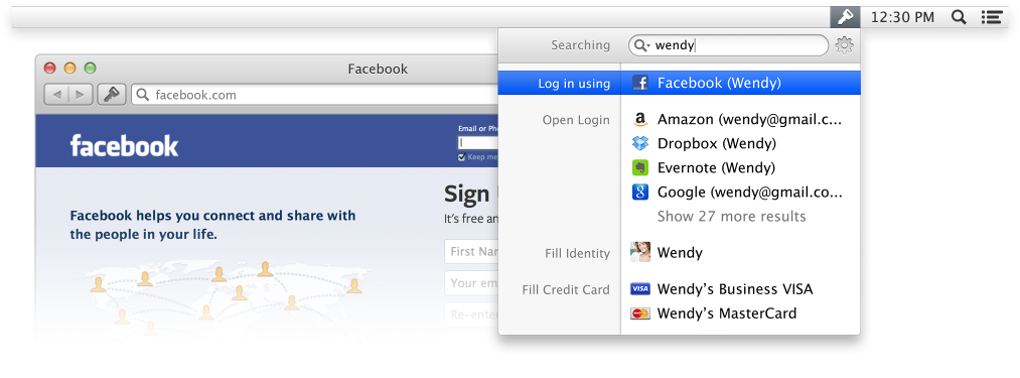
- Browser Extensions: Seamless integration with Safari, Chrome, and Firefox for one‑click autofill.
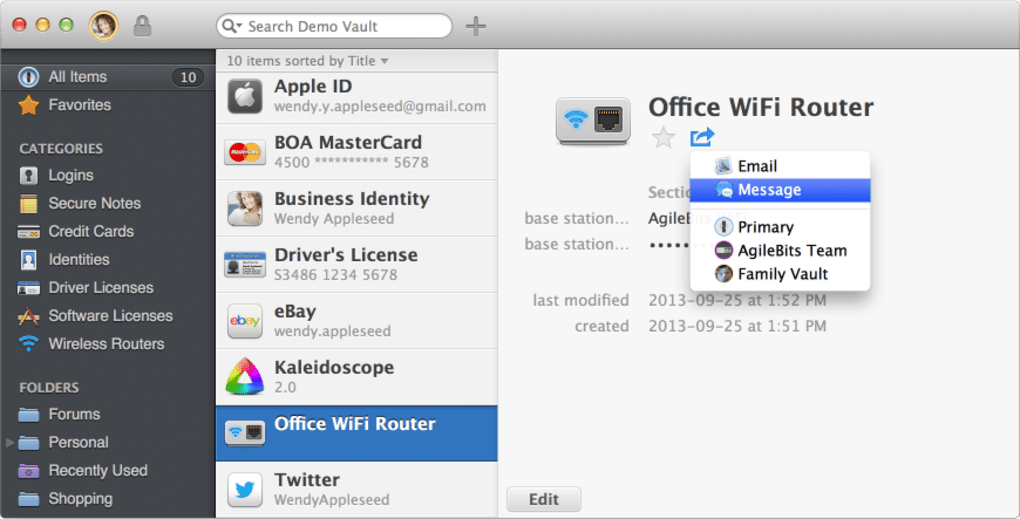
- Secure Sharing: Share passwords and notes with team members or family using encrypted links.
Installation, Setup & Daily Usage
Step‑by‑Step Installation
Downloading 1Password Beta is straightforward. Visit the official Agilebits website or the Mac App Store, locate the “1Password Beta” listing, and click the “Get” button. The installer will verify the package signature, ensuring a secure download free from tampering. Once the download completes, the system prompts you to move the app to the Applications folder; drag it there, and the app will appear in your Launchpad. macOS may request permission to access your keychain; granting this access allows 1Password to store the master password securely.
Initial Configuration and iCloud Sync
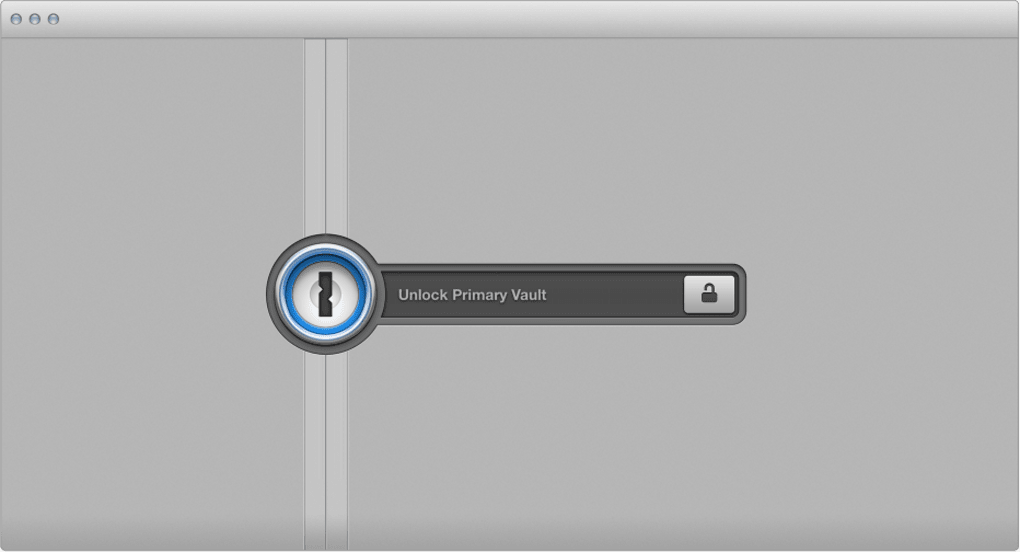
Upon first launch, the app walks you through creating a master password—a long, unique phrase that only you know. The wizard also offers the option to generate a strong, random password for your vault. Next, enable iCloud sync by toggling the “Sync with iCloud” switch in the Preferences pane. This activates end‑to‑end encryption; your vault data is encrypted locally before being uploaded to Apple’s iCloud storage. If you already have a 1Password 4 vault on another device, simply sign in with the same Apple ID, and the app will merge the vaults, handling any conflicts automatically.
Everyday Workflow
Using 1Password Beta daily feels natural. The new mini details view pops up when you click the 1Password icon in the menu bar, presenting a compact list of your most‑used logins. Selecting a login automatically fills the username and password fields in Safari, Chrome, or Firefox, thanks to the integrated browser extensions.
The Go‑and‑Fill button now directs you to the site’s homepage, reducing the need to navigate through registration or checkout URLs. For added security, the Watchtower dashboard continuously monitors your vault for compromised passwords, providing actionable alerts. You can also organize items into categories—Logins, Secure Notes, Credit Cards—making retrieval faster.
Finally, the “Share” feature lets you securely send a password to a trusted contact; the link expires after a set period and is encrypted end‑to‑end.
Compatibility, Pros & Cons
Supported Operating Systems
1Password Beta is optimized for the latest Apple ecosystem. It runs on macOS 12 Monterey and later, including macOS Ventura and macOS Sonoma. The companion iOS and iPadOS apps support iOS 15, iPadOS 15, and newer versions. While the beta is not officially released for Windows, Linux, or Android, Agilebits plans to extend cross‑platform support in future stable releases.
Pros
- Seamless iCloud sync provides real‑time password availability across all Apple devices.
- Unified UI reduces learning curve for users who switch between Mac and iPhone/iPad.
- Advanced conflict‑resolution prevents duplicate or lost login entries.
- Strong AES‑256 encryption ensures data remains private even if iCloud is compromised.
- Localized interface broadens accessibility for French‑speaking users.
- Free beta release allows users to test new features without cost.
Cons
- Beta status means occasional bugs or stability hiccups may appear.
- Limited to Apple ecosystems; Windows and Android users must wait for future updates.
- Requires an Apple ID for iCloud sync, which some privacy‑focused users may avoid.
- Feature set is still growing; some advanced enterprise tools are not yet available.
Frequently Asked Questions
Is the 1Password Beta completely free?
Yes, the beta version is offered at no cost. You can download, install, and use all core features without paying. A paid subscription will be required for the stable release if you need advanced team or family features.
How secure is iCloud sync for my passwords?
iCloud sync in 1Password Beta uses end‑to‑end encryption. Your vault is encrypted locally with your master password before it ever reaches iCloud, meaning Apple cannot read the contents. The encryption standard is AES‑256, which is considered military‑grade.
Can I use 1Password Beta on a Windows PC?
Currently, the beta is limited to macOS, iOS, and iPadOS. Agilebits plans to release Windows and Android versions in future updates, but they are not part of this beta cycle.
What should I do if I encounter a bug?
You can report issues directly from the app via Help → Send Feedback. Provide a clear description, screenshots, and steps to reproduce the problem. The Agilebits team actively monitors beta feedback and releases frequent patches.
Does the beta support two‑factor authentication (2FA)?
Yes, 1Password Beta includes built-in support for TOTP (Time‑Based One‑Time Password) codes. You can add a 2FA entry to any login, and the app will generate the six‑digit code automatically when you need it.
Conclusion & Call to Action
1Password Beta marks a significant step forward in unifying password management across Apple’s desktop and mobile platforms. With iCloud sync, a refreshed UI, and a suite of security‑focused enhancements, the beta delivers a polished experience that feels both familiar and fresh. While the pre‑release nature means occasional glitches, the benefits of centralized, encrypted vaults and seamless autofill outweigh the minor drawbacks for most users. If you’re a Mac or iOS enthusiast seeking a secure, free way to streamline your logins, now is the perfect time to download the beta, test its capabilities, and contribute feedback that will shape the final product. Click the download button below, set up your master password, and join the growing community of users who keep their digital lives safe with 1Password.







